Connect through your AI tool
Streamable HTTP
Global APIKEY
tip
Please contact our support team to get your APIKEY at support@bloomflow.com.
- URL:
https://api.YOUR_CLIENT_ID.bloomflow.com/mcp/ - JSON config:
{
  "url": "https://api.YOUR_CLIENT_ID.bloomflow.com/mcp/",
  "headers": {
    ""x-bflow-api-key": "YOUR_GLOBAL_API_KEY"
  }
}
Personal APIKEY
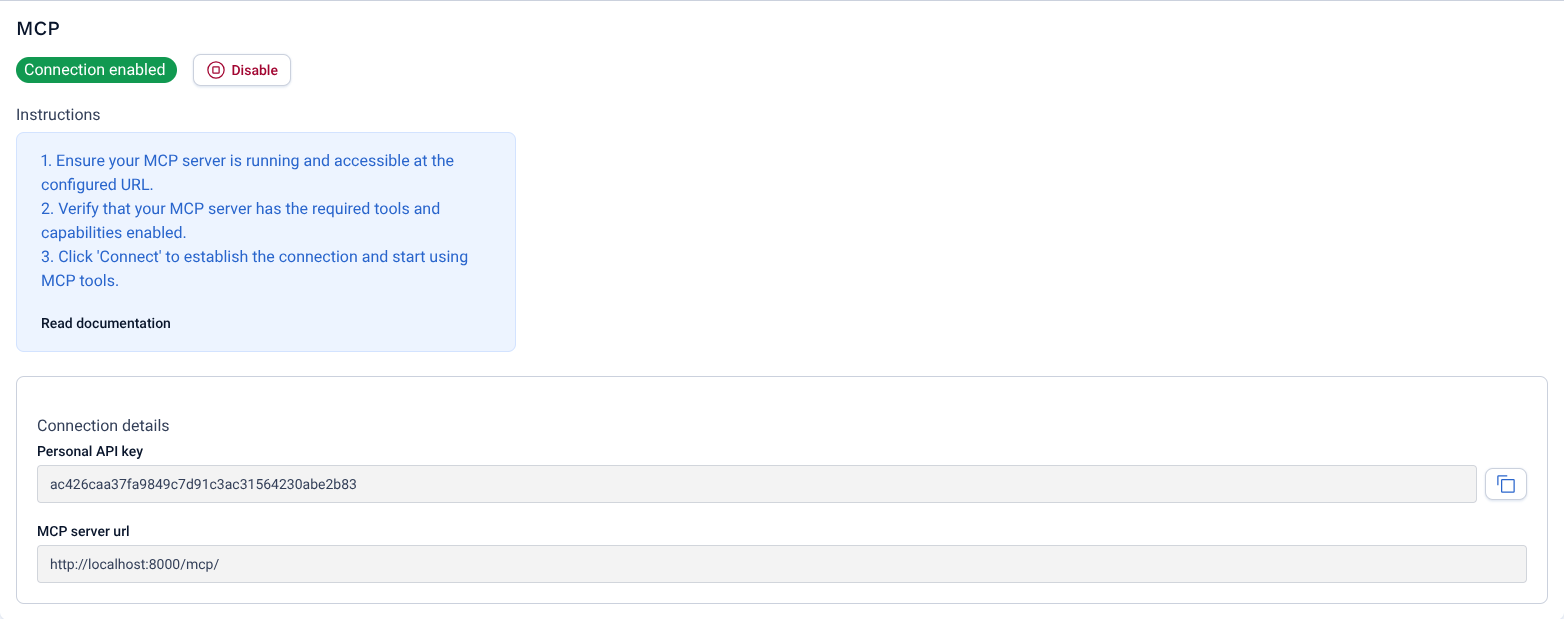
To use your personal APIKEY, you need to create a new APIKEY in your Bloomflow account.
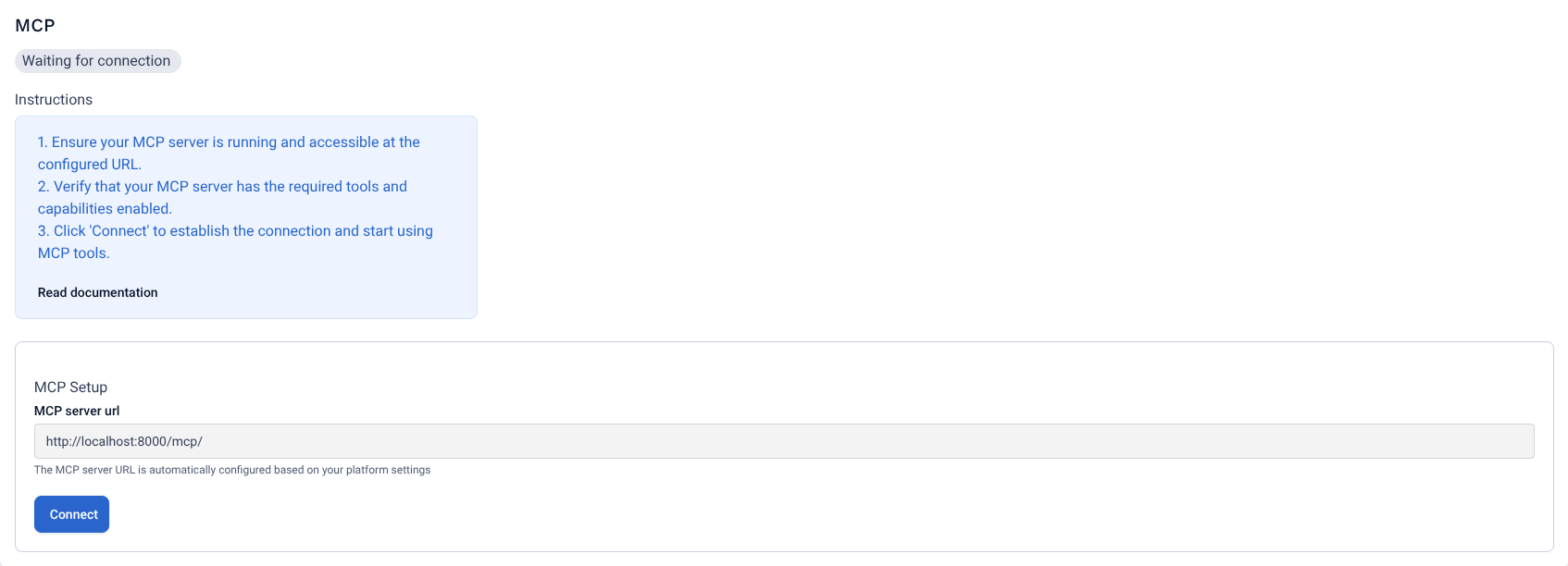
- Go to your account settings - select on the left menu and click on the Connections tab
- Connect to Bloomflow MCP - Scroll down and click on Connect.
- Personal APIKEY - Your key will be generated. Copy-paste it on your AI tool.
JSON config
{
  "url": "https://api.YOUR_CLIENT_ID.bloomflow.com/mcp/",
  "headers": {
    ""x-bflow-api-key": "YOUR_PERSONAL_API_KEY"
  }
}
Troubleshooting connection issues
-
Check MCP Client Support If you use an internal AI tool, make sure it supports the MCP.
-
Bloomflow MCP enabled Make sure the Bloomflow MCP is enabled (contact your Customer Success)
-
Streamable HTTP Make sure your client does send the Streamable HTTP request. SSE is deprecated, we do not support it.
-
Contact Support if you have any questions or issues, please contact our team from your dedicated Customer Success.